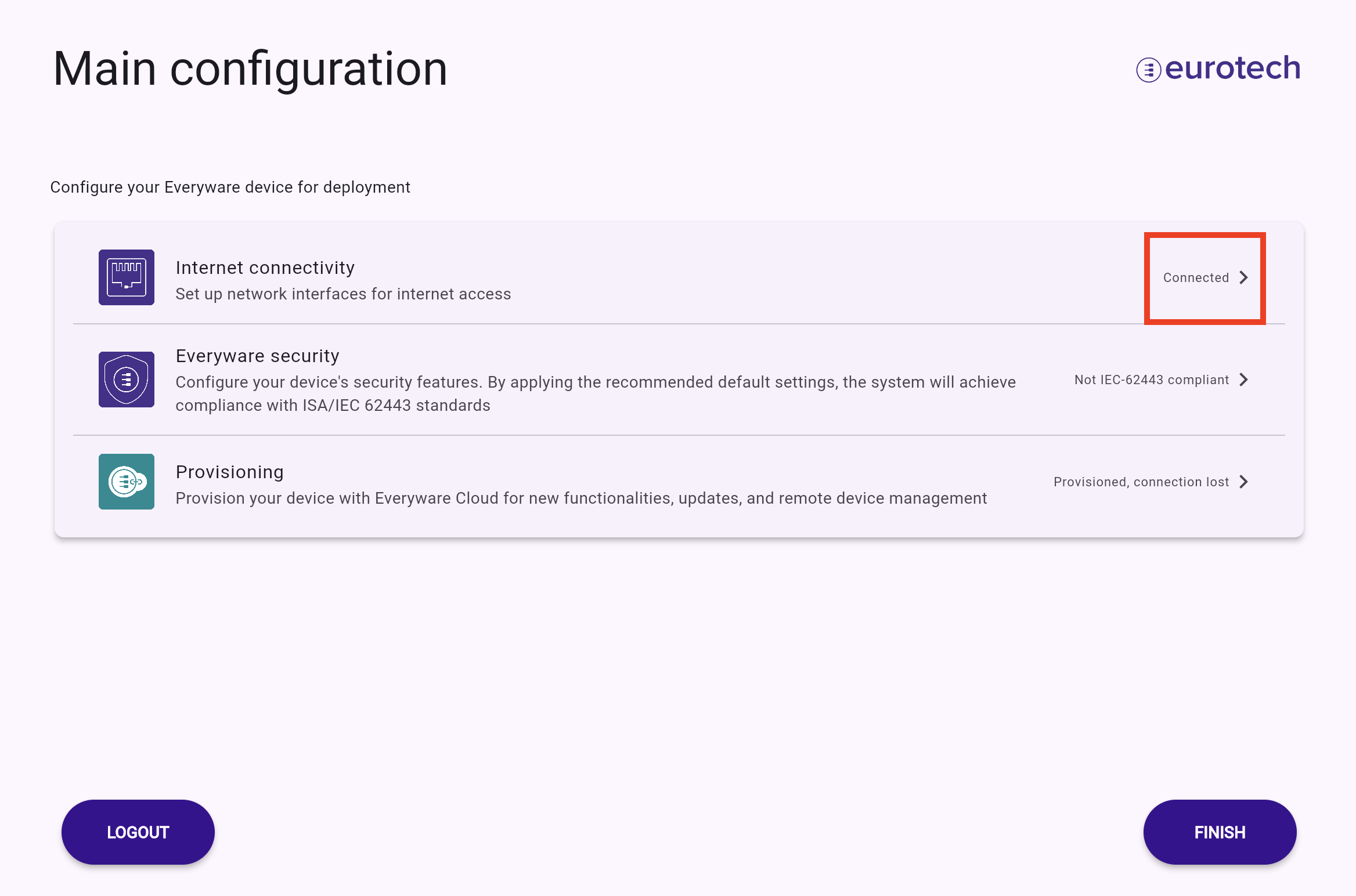
Networking configuration
Tip
Networking configuration might not be accessible for your account if the system administrator has restricted this option.
Once logged in, if the device lacks network connectivity, you can configure its networking settings.
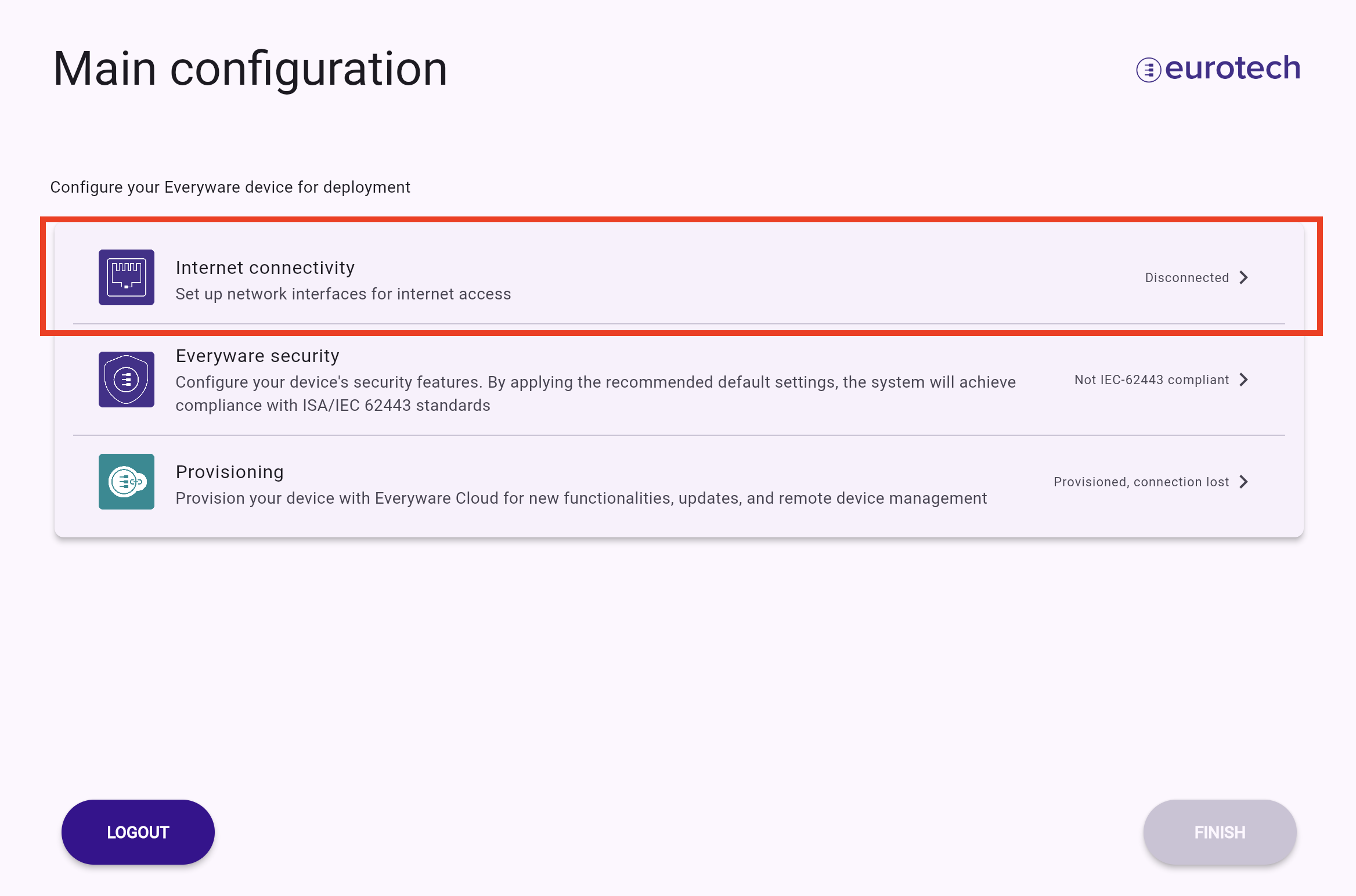
A list of all available interface types will be displayed, as shown in the image below.
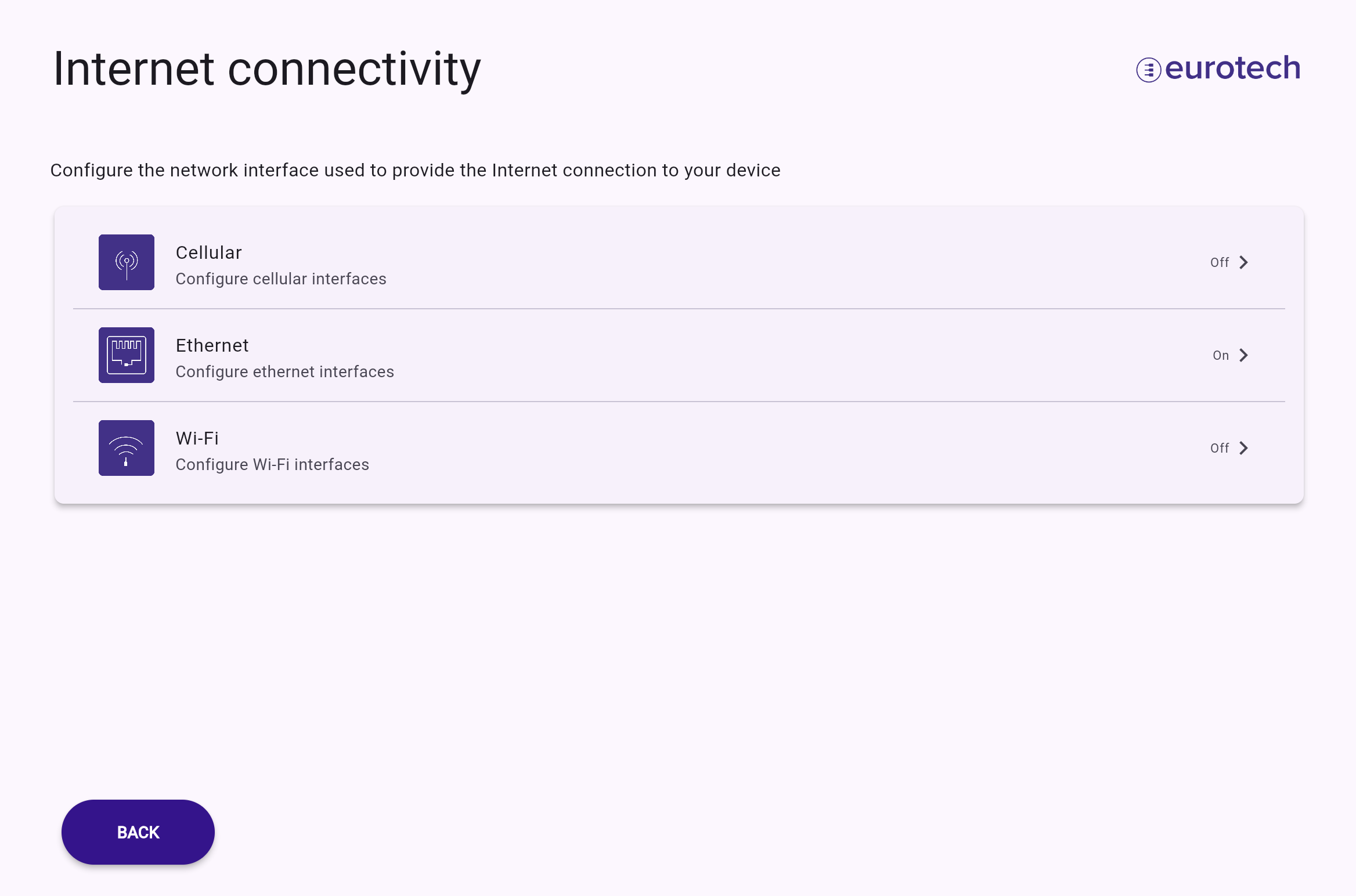
From this menu, the user can select the interface type to connect to the Internet.
Ethernet configuration
If the user decides to configure an Ethernet interface, the wizard will provide initial guidance on which Ethernet port to use for WAN connectivity.
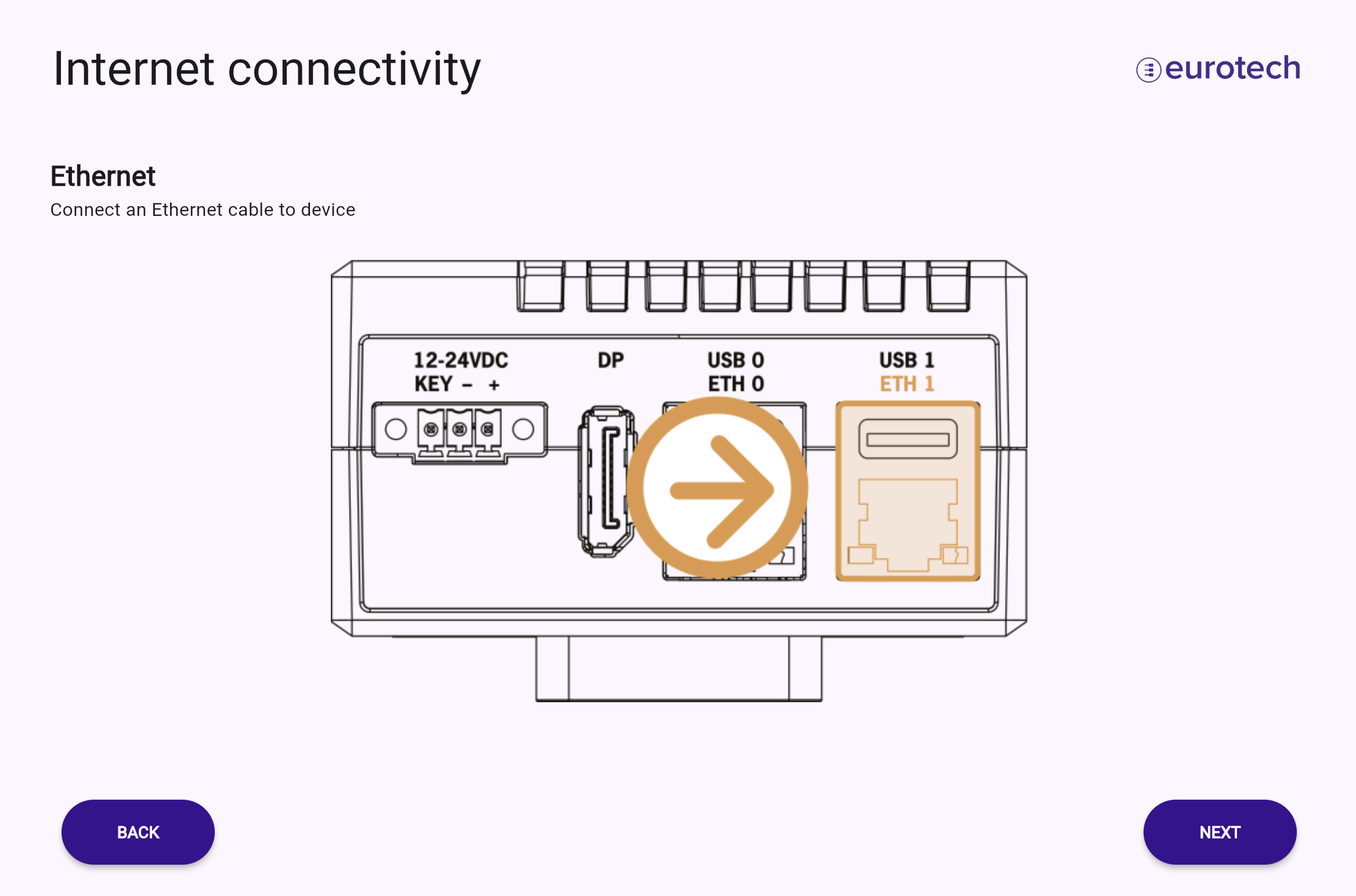
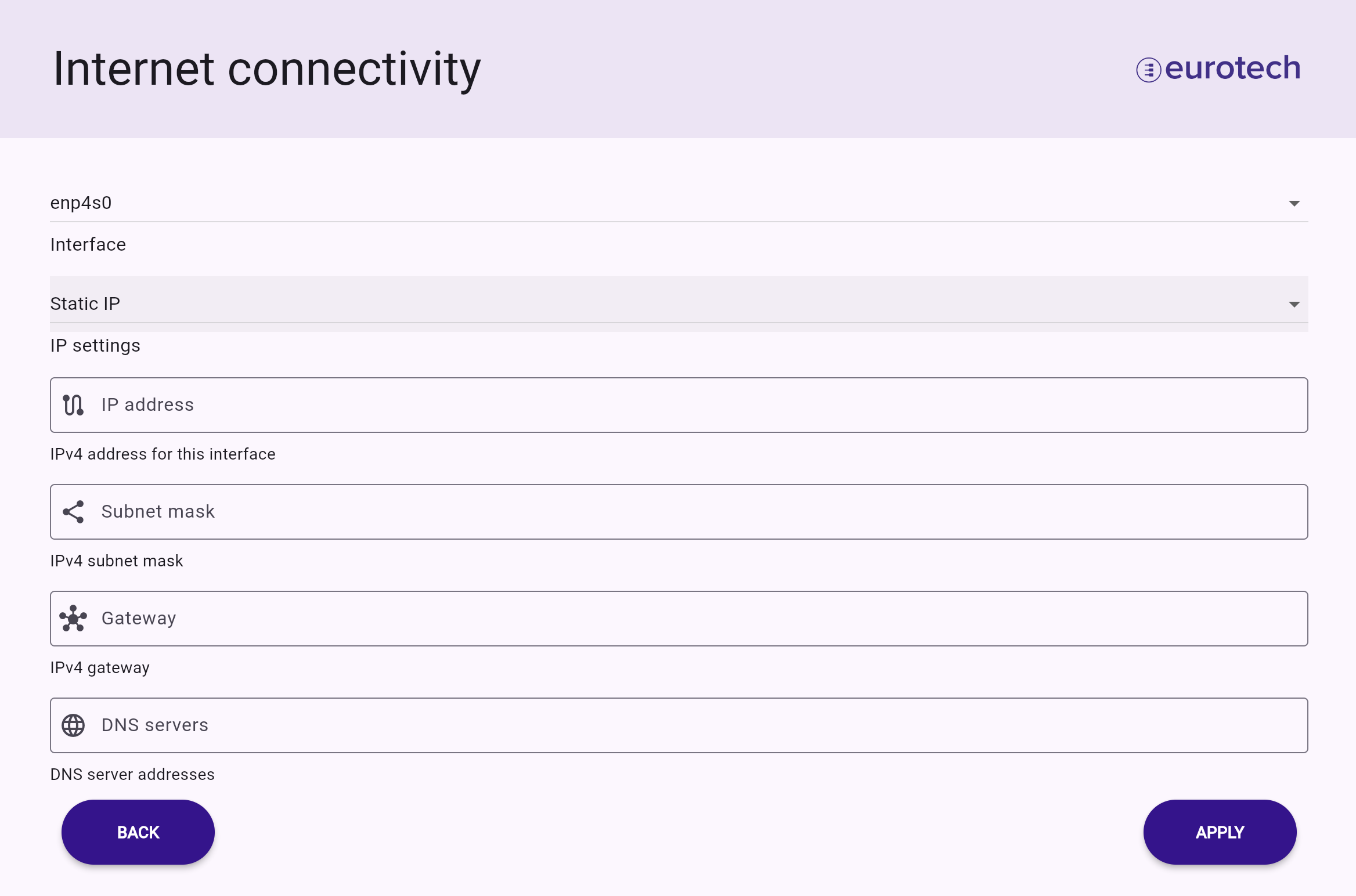
The specific interface can be selected from the Interface dropdown menu. Ethernet can be configured in two modes: using DHCP
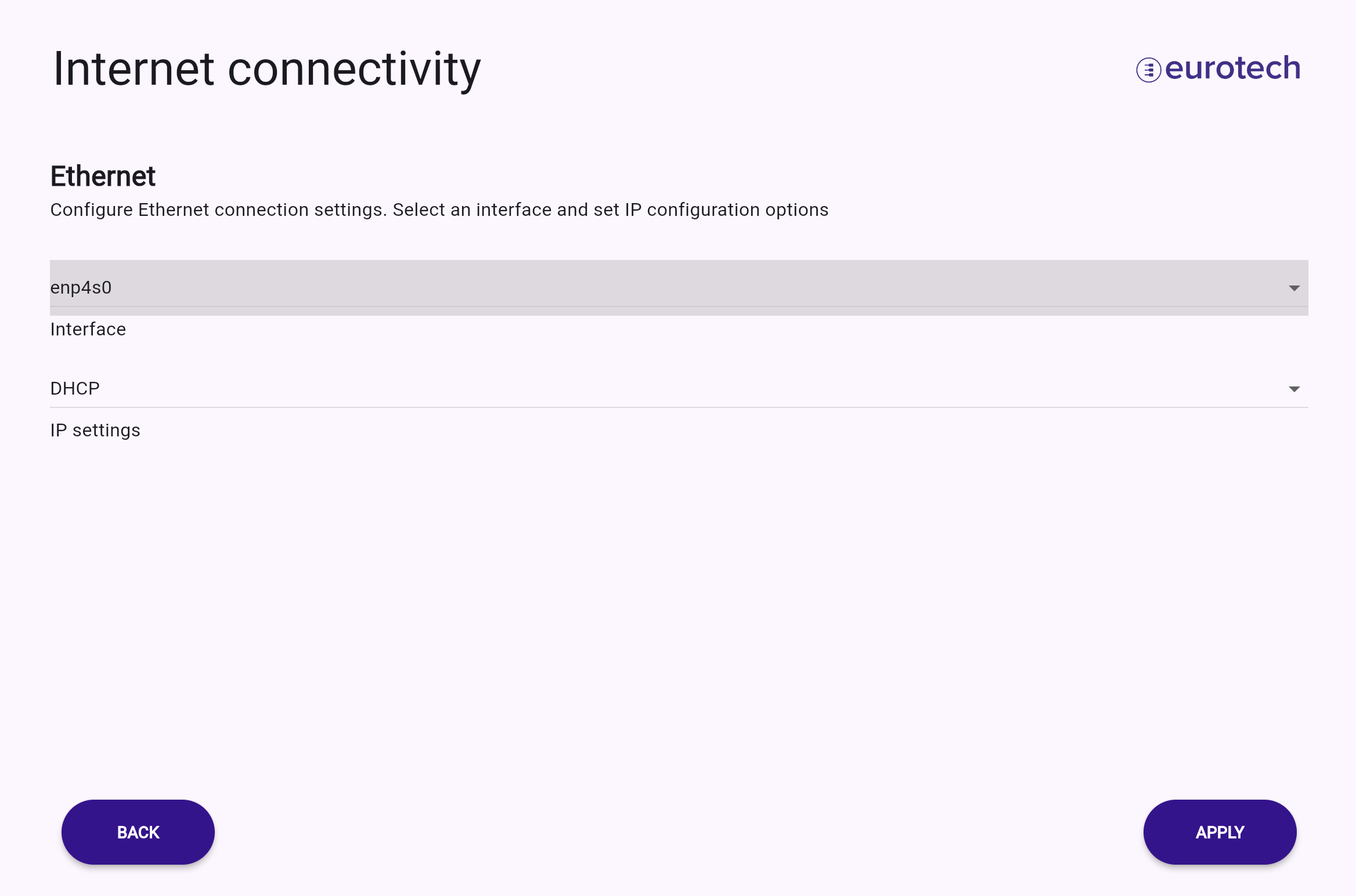
or manually via a static IP configuration
Wi-Fi configuration
If the user chooses to configure a Wi-Fi interface, the wizard will provide initial guidance on where to connect the Wi-Fi antenna.
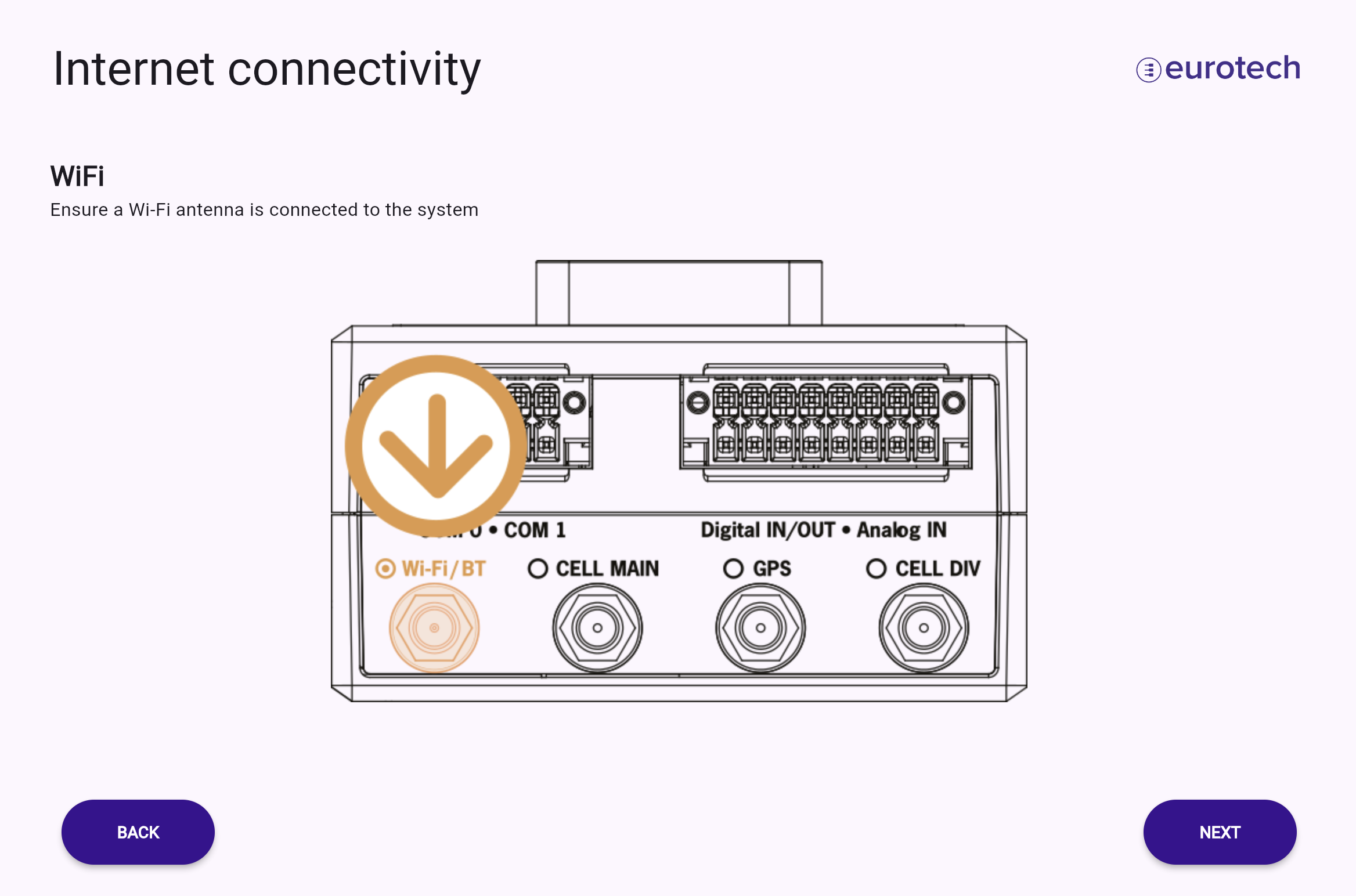
The specific interface can be selected from the Interface dropdown menu. A Wi-Fi connection must be configured with a valid SSID, Wi-Fi security (in this example, WPA2 PSK), and a Wi-Fi password.
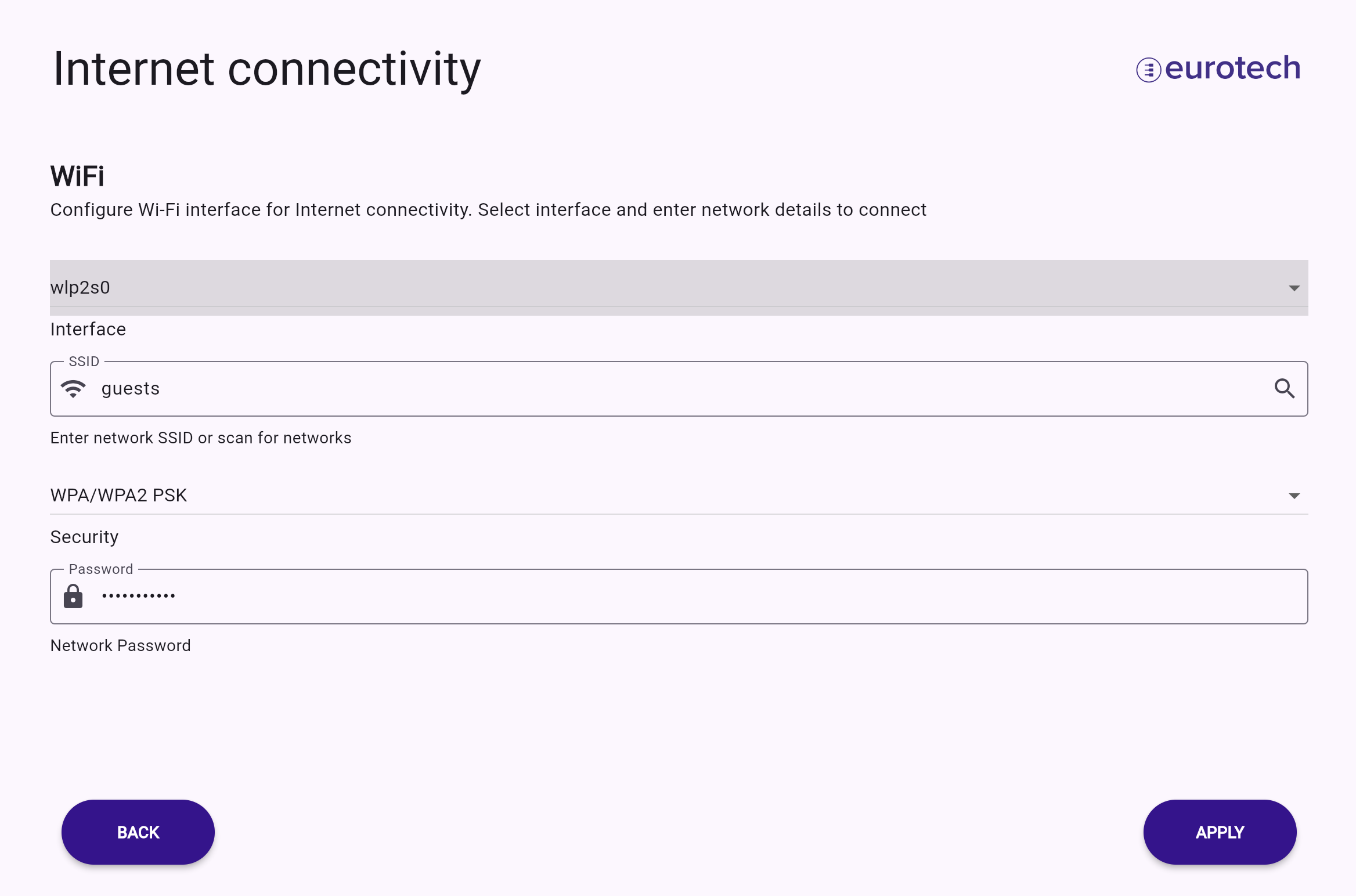
The SSID can be entered manually or searched for using the scan tool (lens icon), as shown in the image below.
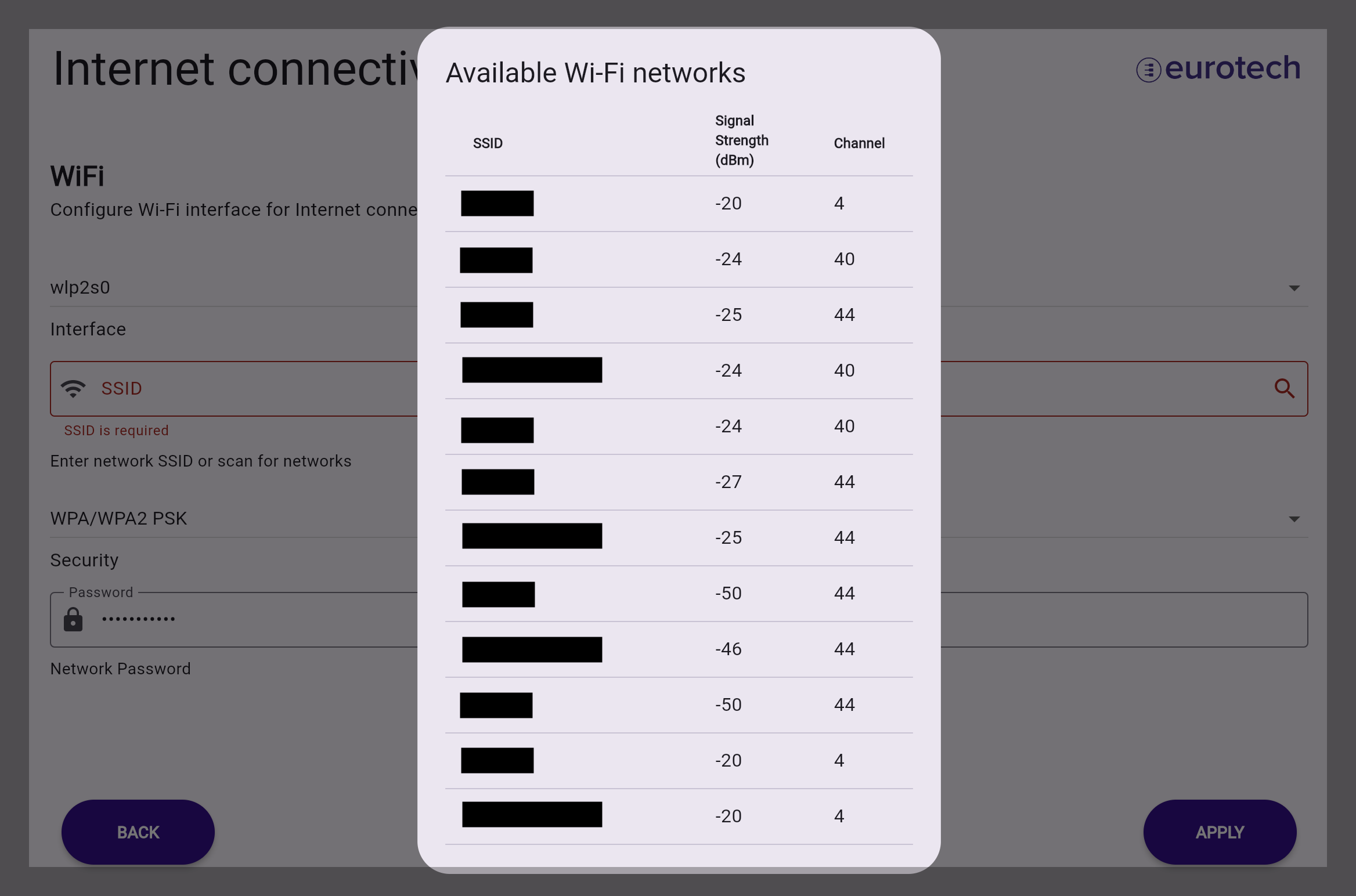
Select the desired network and complete the configuration for the target Wi-Fi network.
Channel validation
The current version of the onboarding UI cannot verify the validity of the selected Channel. Each device is configured to comply with the local radio regulations; therefore, certain frequencies (channels) may not be selectable. If an invalid channel is chosen, the user will not receive a notification and the configuration will not be applied.
Cellular configuration
If you intend to use cellular connectivity, ensure that the SIM card is inserted into the service panel and the antennas are connected.
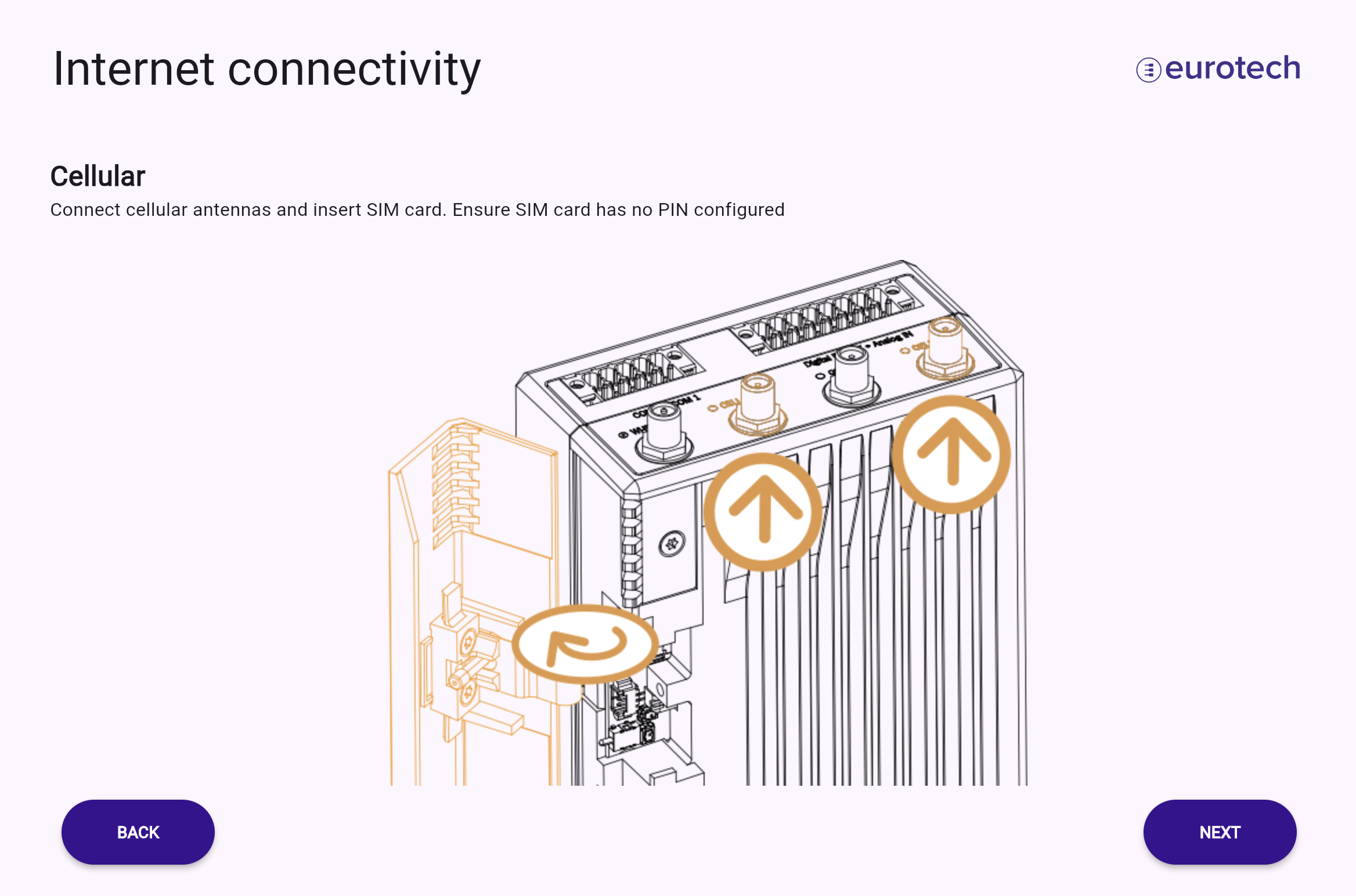
Warning
The SIM must be active and capable of attaching to and registering with the network in your area. The SIM must also be configured without a PIN.
The specific interface can be selected from the Interface dropdown menu. A cellular connection must be configured with a valid APN, Dial String, APN authentication, and APN credentials.
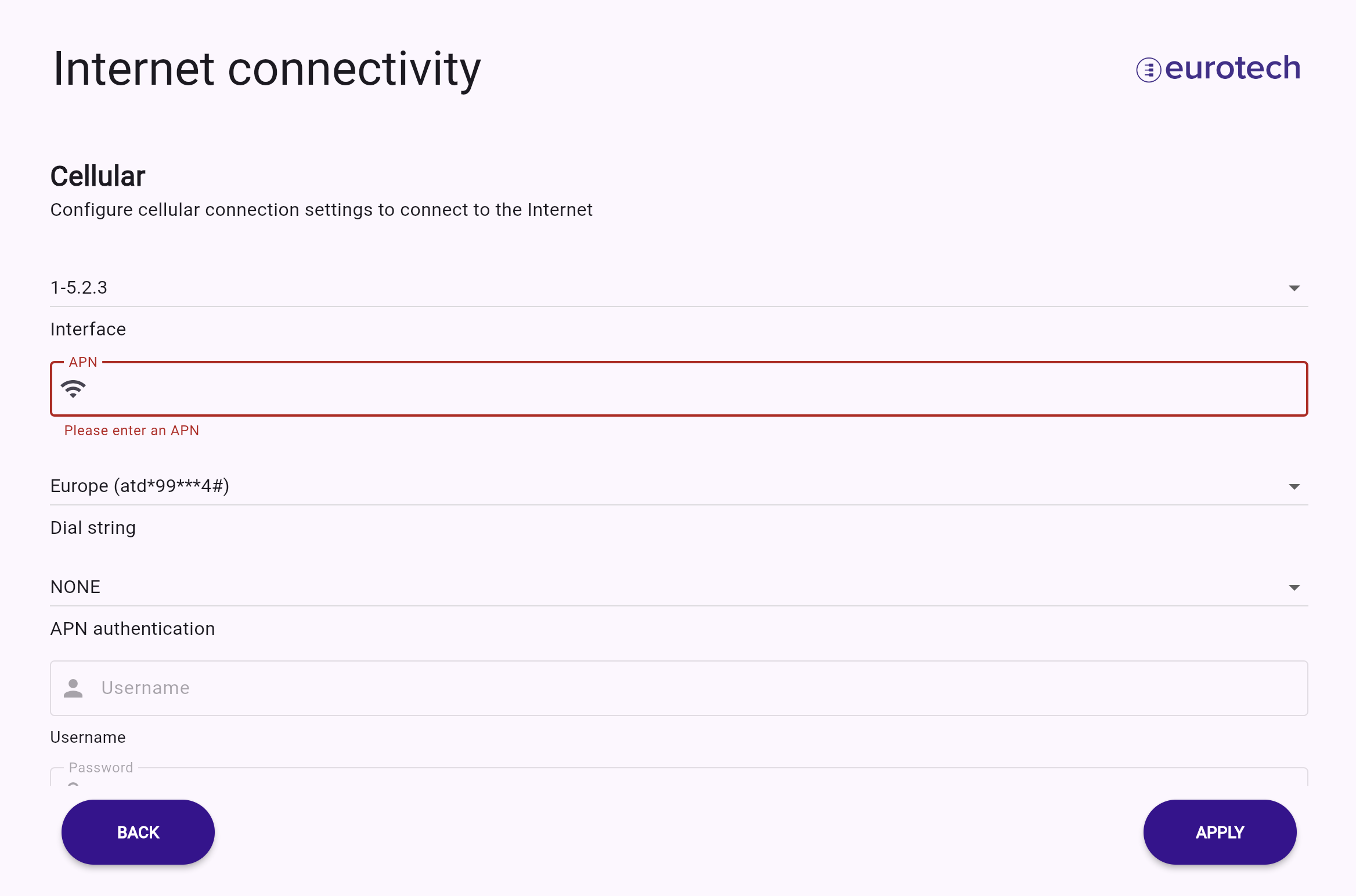
Apply configuration changes
Once the correct configuration is applied, the enabled and configured interfaces will be displayed as "On" in the menu.
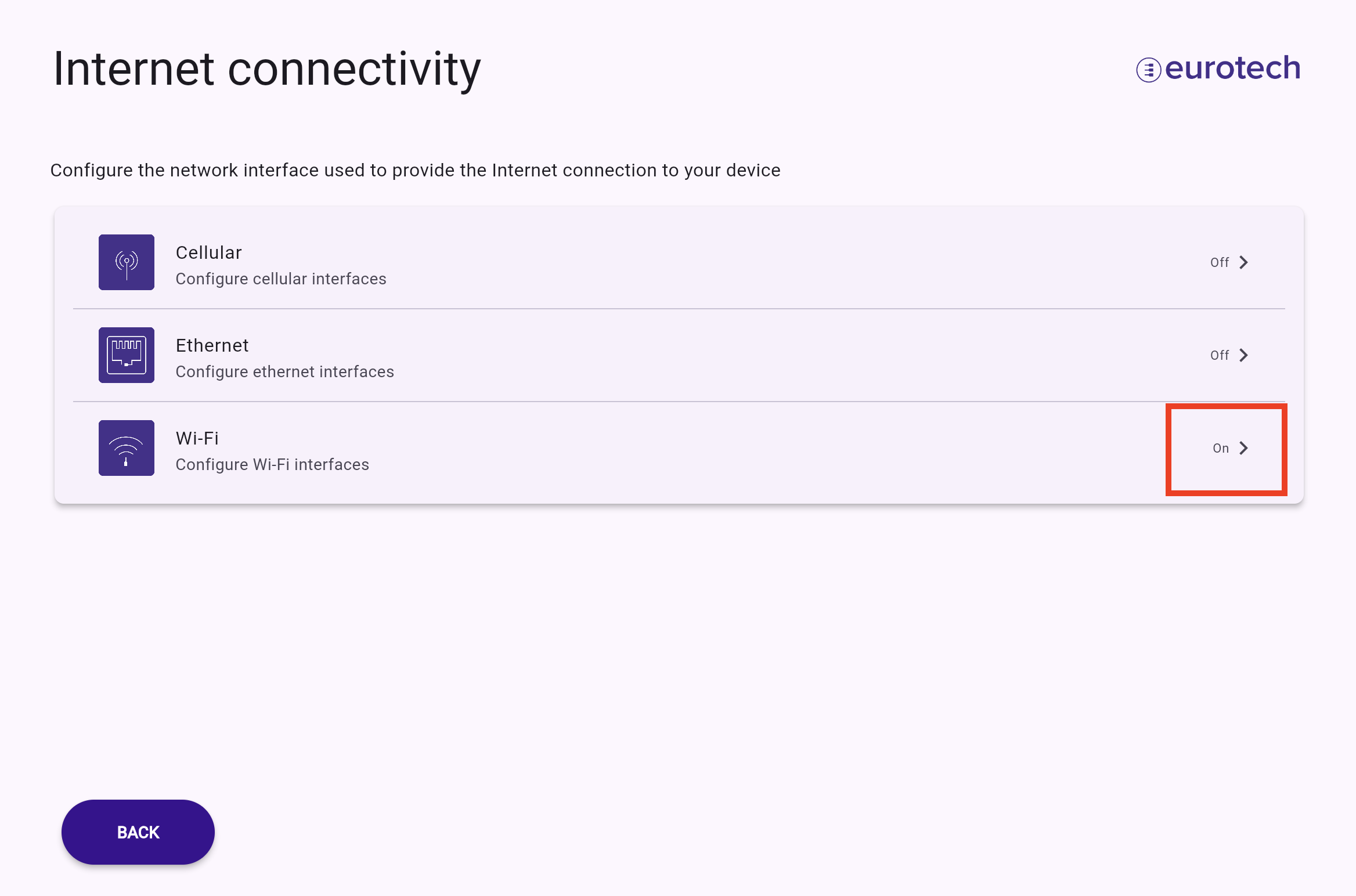
By returning to the main configuration menu, you can view the connection status.